
Notepad.site is a fast, lightweight online notepad that lets you create simple text notes with short, memorable links. No account, no setup, no clutter — just open, write, save, and share.
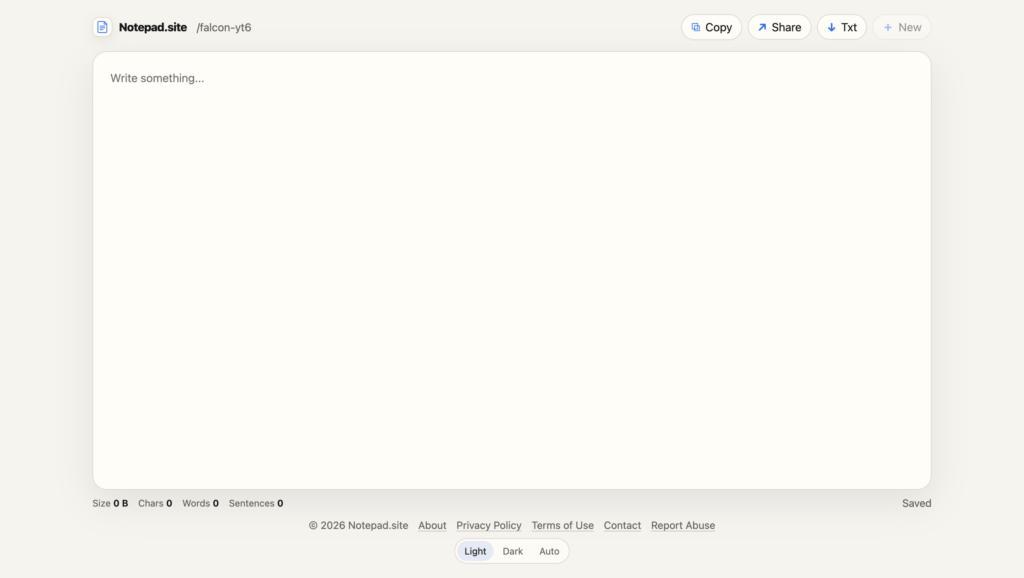
Notepad.site is a simple online notepad built around one clear idea: open the page, write something down, and get a short link you can use later or share with someone else.
There is no account system, no heavy dashboard, no complicated editor, and no attempt to turn a small note into a full document platform. The product is intentionally lightweight: it gives you a clean writing space, autosave, short URLs, and a few useful browser-native features that make everyday note-taking faster.
What is Notepad.site?
Notepad.site is a fast web-based notepad for quick text notes. When you open the site, it creates a short, memorable note address such as:
https://notepad.site/puma-7k9You can also create your own custom note URL by opening a path directly, for example:
https://notepad.site/shopping
https://notepad.site/todo
https://notepad.site/project-idea
If the note exists, it opens. If it does not exist yet, you get a blank page and can start writing immediately.
Why I built it
I wanted a notepad that feels almost instant. Many note apps are powerful, but they often require an account, synchronization setup, folders, permissions, workspaces, or a full app installation. For many small notes, that is too much.
Sometimes you just need a place to quickly paste text, write a short reminder, prepare a message, save a temporary list, or share a simple note with another device. That is the use case Notepad.site focuses on.
Main features
- Short note URLs — notes use compact links like
/puma-7k9or custom paths like/shopping. - No registration — you can start writing without creating an account.
- Autosave — notes are saved automatically while you type.
- Mobile-friendly interface — the layout behaves more like a small native app on mobile devices.
- Light, Dark, and Auto theme — Auto follows the system color scheme.
- Copy, Share, and TXT export — copy the note content, share the page, or download the note as a
.txtfile. - Import TXT files — load a text file into the editor.
- Drag and drop TXT support — drop a text file into the editor and continue working.
- Keyboard shortcuts — save, copy, import, and switch modes faster on desktop.
- Offline shell support — the app shell can load even when the network is unavailable.
- PWA support — the site can be installed like a lightweight web app on supported devices.
Short URLs as a product feature
One of the key decisions was to avoid long technical-looking URLs. A link like this is technically strong but unpleasant to use:
https://notepad.site/aB93kdLmPq72xZpQ8s91LmNotepad.site uses shorter, more readable addresses instead:
https://notepad.site/puma-7k9The goal is not to make the URL act like a password. The goal is to make the note address easy to recognize, copy, share, and remember.
Custom note addresses
You can also type a note address manually. For example, opening:
https://notepad.site/meeting-noteswill open that note address. If it already has content, the content appears. If it is empty, you can start writing and the note will be created on first save.
This makes Notepad.site useful not only as a temporary notepad, but also as a small personal scratchpad for repeated simple use cases: shopping lists, drafts, reminders, quick messages, and text snippets.
Designed to stay simple
Notepad.site is not trying to replace advanced tools like Google Docs, Notion, Obsidian, or full project management systems. It intentionally avoids heavy features that would make the interface slower or more complicated.
The product is closer to a clean sheet of paper with a URL. That simplicity is the main feature.
Important privacy note
Notepad.site is a simple online notepad, not an encrypted vault. It is not designed for passwords, private keys, financial records, medical information, confidential documents, or highly sensitive data.
If you share a note link with someone, that person can open the note. The service is meant for ordinary notes and quick text sharing, not for secure secret storage.
Technical direction
The project is intentionally lightweight. It uses a simple PHP backend, file-based note storage, short route-based note IDs, automatic cleanup for empty notes, and sitemap generation for public pages and indexable content.
The storage model is also designed to avoid putting all notes into a single flat directory. Notes are stored using sharding, so the file system remains manageable as the number of notes grows.
Who is it for?
Notepad.site is useful for people who need a quick, low-friction writing space:
- writing temporary notes;
- moving text between devices;
- saving a quick list;
- drafting a message;
- sharing plain text with someone;
- keeping a simple URL-based scratchpad.
Try it
You can try the project here:
It is simple by design: open, write, save, and share.